
Linphone evolves: discover the new version 6.2!
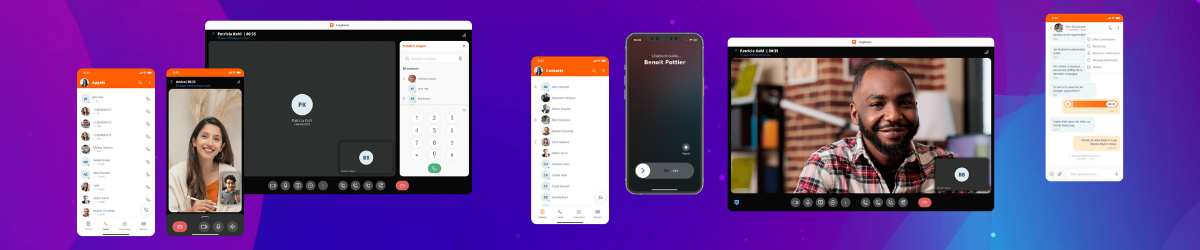
Linphone 6.2 brings numerous improvements aimed at enhancing the user experience across mobile, desktop, and tablet. This new version focuses on instant messaging, modernizes the interface, call handling, and administration, while also introducing several long-awaited user features.
Instant messaging
Edit and delete sent messages (Android • iOS • Desktop)
Sent messages can now be edited or deleted within 24 hours for all participants in the conversation. This feature is supported across all platforms. SDK 5.5 support is required to enable it on Android, iOS, and Desktop.
Automatic deletion of files linked to messages (Android • iOS • Desktop)
When a message containing a file (image, document, media, etc.) is deleted, the associated file is also automatically removed from the device’s local storage.
✅ Benefits:
|
Mentions in conversations (Android • iOS • Desktop)
Users can now mention a participant by typing “@” in a message.
Typing “@” filters the participant list, allowing quick selection of a contact to mention.
Document preview (Android)
PDF files can now be previewed directly within conversations.
Access to media and documents (Android • iOS • Desktop)
Media and documents shared with a contact are now directly accessible from their profile when an individual conversation exists.
Telephony: improved call management (Android • iOS • Desktop)
Blind Transfer and Attended Transfer are now combined into a single interface. Transfers can be performed:
- To an existing call
- To a SIP address
This new design simplifies daily call handling.
A redesigned interface for a better user experience
Several UI improvements have been introduced:
- New settings layout
- Redesigned pop-up windows
- Optimized interface for large screens
- Improved usability on Android tablets and iPads
Enhanced search
In call history and conversation views, search results now display not only history items but also:
- Matching contacts
- Related suggestions
This makes it easier to find a contact and allows users to directly initiate a call or conversation from search results without opening a dedicated screen.
Meetings
Meeting features continue to evolve:
- Display of past meetings, hidden by default (Android • iOS • Desktop)
- Export of a meeting to the calendar (Desktop)
- Access to conversation history after a meeting ends (Desktop)
Security and contact management
Trusted device management (iOS)
Verified devices are now directly visible from a contact’s profile. A visual indicator helps quickly identify trusted devices and facilitates secure communication verification.
| 💡 Note: already available on Android and Desktop. |
CardDAV and LDAP address books (iOS)
CardDAV and LDAP address book management is now available on iOS.
| 💡 Note: already available on Android and Desktop. |
Contact sorting (Android)
On Android, users can now choose how contacts are displayed:
- By first name
- By last name
Accessibility: keyboard shortcuts (Android)
Using Linphone on a tablet with a physical keyboard is improved with new shortcuts:
- Ctrl + Shift + A: answer a call
- Ctrl + Shift + D: decline a call
This makes tablet use closer to a desktop experience.
Technical improvements
Linphone 6.2 also includes several technical upgrades:
- Compatibility with the latest iOS version
- Android app now targeting API 37
- Unified URI handlers on Desktop using a single sip-linphone format (already available on Android and iOS)
- Complete removal of local data when an account is deleted:
- Authentication information
- Call history
- Conversations
- Meetings
- New Android password recovery process (available in version 6.2.1 for iOS) via the account management platform
Download links
Linphone 6.2 enhances messaging features, modernizes the user interface, and improves the overall experience across all platforms. This release simplifies everyday use while strengthening collaboration, security, and application performance.